Why Apple Unified Memory Is Changing the Future of Laptops

Why Unified Memory Improves Laptop Performance
Apple Unified Memory has revolutionized the way we think about laptops. As Apple moved to Apple Silicon, it stopped using old designs that had depended on separate pools of memory and moved to a far more efficient system with shared resources. It's not only about speed. That shift also improves battery life, affects laptop repair and directly relates to my buying decision from now on. So if you are a Mac user, this guide will literally help you to understand why Apple's laptops are getting so much attention.
Getting a Handle on Apple Unified Memory Architecture
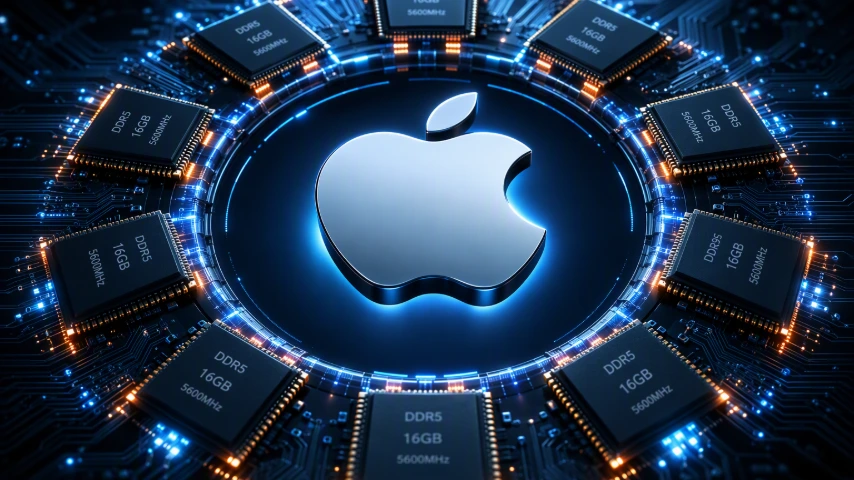
Apple's unified memory architecture uses a single pool of system memory that all the chip's different components share from. In an Apple Silicon Mac, the CPU, GPU, and other engines all pull from the same resource, rather than working with separate memory pools like older technology. That makes a huge difference to how data is handled and helps cut out delays.
It can make 16GB RAM feel like far more than it does on a dongle for everyday use on a device such as the MacBook Air. It also means that you need to pick GB RAM from the beginning as the ram is integrated into the chip and there you go.
UMA in Easy Terms
Think of it as having one big memory pool that the CPU, GPU and Neural Engine all share from - no separate VRAM
There is less copying of data from one place to another, no constant transferring of tensors across the bus.
The GPU can grab as much data as it needs when it needs it, within the system limits.
This also means lower energy and less friction, data gets processed close to where it's needed.
All of this is more simple to manage at the software level.
How Apple Unified Memory Works in our Devices
Apple Unified Memory makes RAM an integral part of the processor architecture - so everything can run as efficiently as possible:
App Requests a Task
│
▼
Data Placed in Shared Memory Pool
(One Memory • No Duplicates)
│
▼
Same Data Shared Instantly
(No Copies Required)
│
├──────────────┬──────────────┐
▼ ▼ ▼
CPU GPU Neural Engine
General Tasks Graphics Work AI Tasks
└──────────────┼──────────────┘
▼
Memory Allocated Dynamically
(Resources Assigned Where They're Needed Most)
│
▼
Less Data Transfer & Lower Heat
(Improved Power Efficiency)
│
▼
Faster, Smoother Performance
Better Speed • Better Battery Life
Sharing of one memory pool between CPU, GPU and Neural Engine.
No duplication of data transfer between processors.
Minimizes latency and speeds up performance.
Improves power efficiency and devices battery life
Completes multitasking and creative tasks faster and easily.
Key Features That Set Unified Memory Apart From the Rest
What makes this unified approach really stand out is not just the hardware layout. It's how Apple Silicon makes it possible for the CPU and GPU to work from the same memory architecture at the same time; which is a pretty major deal.
This can have a huge impact on a MacBook. It does that and helps to make the system feel “softer” under mixed workloads for what should be a smoother operation of a laptop.
The difference is only explainable by some of the following:
No need of copying any data between CPU and GPU because both can access the data pool simultaneously. Because memory is sitting right next to the processors, you get lower latency and faster access, which is always a plus.
The system can assign memory dynamically, rather than locking each processor into a fixed amount - which makes things way more flexible.
Traditional RAM in older Macs and PCs works the other way around - it uses separate graphics memory, which gives you flexibility, but in the case of Apple's unified structure, it's all about speed, simplicity, and efficiency.
Unified Memory vs Traditional RAM on Laptops: What's the Catch?
When we compare unified memory and ram on laptops, it usually comes down to the way the system is set up. In lots of laptops, the CPU uses its own ram, while the GPU relies on its own video memory. But with modern MacBooks and Apple Silicon, it's all one memory architecture, working for multiple processors at once. That can make a big difference in terms of speed and efficiency.
Traditional RAM setups give you more hardware flexibility, while Apple's design is all about close integration. To get your head around what's going on, it's worth looking at the differences and how they play out in real use.
What's the Main Difference - And How Does it Affect You?
The biggest difference between Ram vs Unified memory is how memory is set up. Unified memory uses a shared space for all the processing units, while traditional memory splits work between RAM and graphics memory. This affects everything from data flow to responsiveness to how the system is put together.
Take a look at the image below for a side by side comparison:

All of Apple Silicon Macs with M-series chips support unified memory. This wide compatibility also gives a difference between older Intel-based Macs, which are built with a different structure of RAM, resulting in greater uniformity within the Apple ecosystem.
Impact on Power Efficiency and Performance
The unified memory reduces additional data transfers, thus maintaining strong Apple Silicon performance while consuming less power. Why, for instance, might newer Macs than you are considering give you more battery life?
Minimize copying to conserve energy. Stable when using a mix of tasks. Less bottlenecking increases the system temperature reduction and reduces noise. This increases MacBook power efficiency. Intel Macs that were older tended to heat up quickly and became hot. Today's Macs perform consistently and reliably, while creative applications make use of both their battery life and speed.
The Real World Benefits of Apple Unified Memory
In everyday life, the appeal of unified memory laptops is pretty obvious. They just plain open apps smoothly, handle all the demands of a creative workflow without a hitch, and basically eliminate the slowdowns you get from all the data constantly getting moved around. For anyone who values getting a good balance of speed and battery life, that's a pretty big deal.
The advantages of apple unified memory become way more apparent when you're doing tasks like video work, graphics processing, and machine learning. That's a big part of why a lot of people now see Apple systems as some of the fastest and most efficient laptops out there.
How Unified Memory Improves Graphics, Video Editing, and Multitasking
Useful for graphics-intensive tasks is the unification of memory. The MacBook Pro and iMac can easily manage all the difficult projects. This removed all of the slow transfers you'd see between different areas of the system, as the CPU and GPU share the same pool of memory.
Video editing in Final Cut Pro or other creative apps therefore is seamless. Graphic design, 3D text and animation become a boon. Better results will be observed if the workload is machine learning or some other type of workload that stresses all the CPUs and GPUs simultaneously.
Unified Memory is also an advantage for Multitasking. Instead of, say, the system having to switch between system RAM and VRAM several times, you can simply control what the system needs at this time. This is actually where it might make a difference in motion editing, previewing effects, and dealing with rear background activities.
Choosing the Right Unified Memory Capacity: Things to Consider
Apple doesn't give memory upgrade options, so consumers should seriously consider what they need, rather than what is cheap. Several things to note here, and a quick size forecast:
Your Workload: Match memory with heavy App use vs. every day effects
AI Usage: 16GB+ is recommended for optimal local AI functionality.
Avoid Swapping: Low memory slows down performance, wears SSD.
The size is forecasted as follows: 8GB-basic, 16GB-multitasking, 24GB+-creative/AI work
Future proofing: Purchasing the higher tier for value in the long term
So... Is Apple Unified Memory the Future of Computing?
Largely, Yes — while conventional memory remains effective in flexible and upgradable systems, unified memory holds promise for the future as AI-driven tasks and efficiency become bigger burdens. Apple Unified Memory radically reshapes laptop performance by using a single quick memory pool to communicate between the CPU, GPU and Neural Engine, also known as Apple's brain processor. Reducing waiting times while speeding things up, keeping devices cooler, all while allowing for smooth editing video material as well as running the latest AI apps and performing various operations in the background it's no wonder this feature is so highly appreciated. Since your memory is attached permanently to the processor, upgrading will not be possible. Thus, you need to carefully choose the model that will suit your needs. It will also make the task of a professional laptop repair that much more crucial if the problem is hardware related. Finally, the actual improvements in performance are not attributable to the amount of horsepower and hardware in the system; it's all about what the system's components do with their intelligence.