How to Identify Original Laptop Batteries and Avoid Counterfeit Products

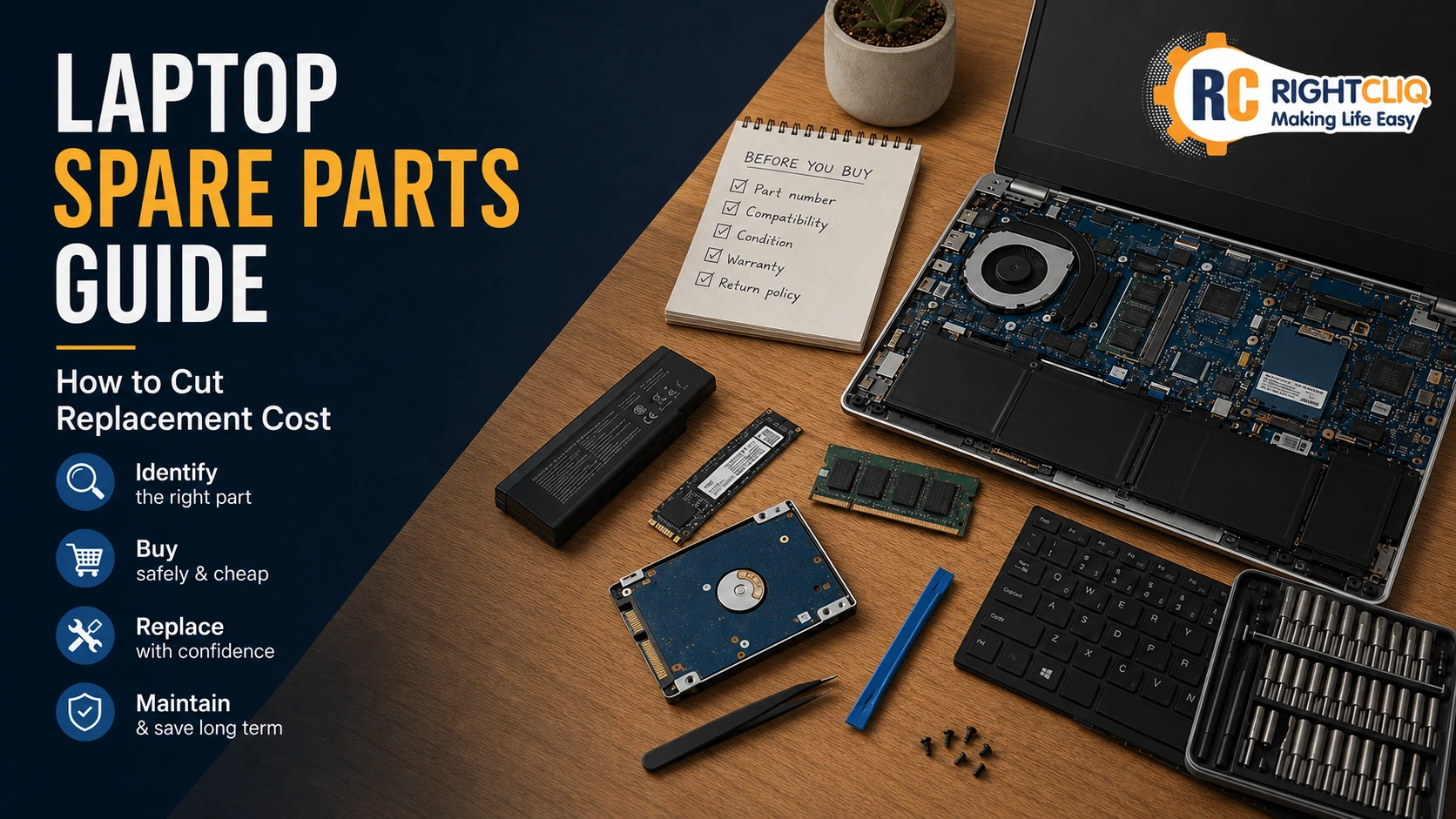
Final Checklist Before You Purchase a Replacement Battery
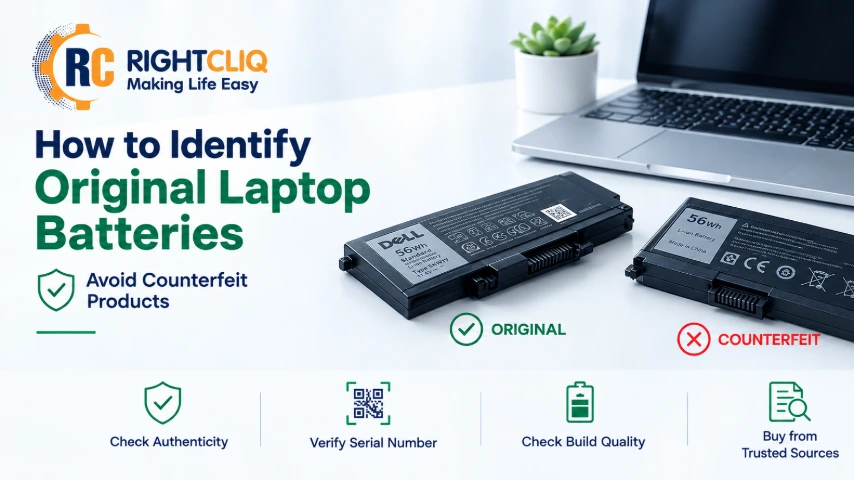
Most people ignore their laptop battery until it fails on them — sudden shutdowns, a swollen case, a trackpad that's started to lift. That's usually when the search for a replacement begins, and that's exactly when things go wrong. The web is full of cheap batteries claiming to match original specs, and buying one is riskier than it looks. Fake batteries don't just perform worse — they can overheat, short circuit, or in rare cases catch fire. Learn to spot a counterfeit before you buy it, and you'll protect both your laptop and yourself.
Buying an original laptop battery is the way to go if you want to protect your laptop and keep yourself safe. Having a trusted laptop repair service on speed dial can help you steer clear of dodgy fakes
Why Counterfeit Laptop Batteries Are Everywhere
Genuine batteries cost real money to manufacture properly, so budget-conscious buyers go hunting for deals — and counterfeiters know it. They pack recycled or low-grade lithium-ion cells into generic housings and skip the safety circuitry that prevents overcharging and overheating. Then they slap on labels designed to look like the real OEM part and price them just under market rate. Since every laptop uses its own battery shape and connector, most buyers won't notice a problem until performance drops — or something worse happens.
Check the Packaging and Labeling First
Real batteries usually come in branded boxes with crisp labeling. Fakes often show up in plain brown boxes or cheap foam — though don't treat that as proof on its own, since some legitimate service parts skip fancy packaging too. Look at the label itself instead: sharp, evenly spaced text and clean safety icons are good signs. Blurry print, mismatched fonts, or typos on the label mean walk away.
Inspect the Build Quality and Connector Fit
Pick the battery up and check the construction. A genuine unit has tight seams, no visible glue, and doesn't rattle when you shake it gently. If you catch a chemical smell coming from the box, that's cheap sealing material talking. Check the connector pins and screw mounts too — they should line up exactly with your laptop's battery bay. A fit that's even slightly off usually means you're holding a mismatched or counterfeit part.
Verify the Safety Certifications
Look for UL, CE, and RoHS marks printed clearly on the label — legitimate batteries carry them. If there's a QR code or serial number, scan it. It should take you to a real product page or manufacturer record. No certifications, or a code that leads nowhere, means don't install it.
Compare Weight, Capacity, and Voltage
Skip searching by laptop model and find your battery's exact part number instead — check the label on your current battery or your laptop's service manual. Write down the part number, voltage, and capacity in watt-hours (Wh), not milliamp-hours (mAh). Counterfeiters fudge mAh numbers far more often because Wh is harder to fake. Once the new battery arrives, weigh it against your old one if you can — fakes almost always weigh less because they use cheaper cells inside.
Buy From the Manufacturer or an Authorized Seller
Buy straight from your laptop's manufacturer or an authorized service center whenever you can — you'll pay more, but you cut out most of the risk. Authorized third-party distributors come next; check for a real business identity, invoices, and a clear return policy. A well-known third-party battery brand can work too, as long as the seller is transparent and well-reviewed. Skip listings with vague "OEM" language, no real product photos, or sellers who won't take returns on an opened battery.
Watch the Price — It Tells You a Lot
Manufacturing a real battery costs a predictable amount, so steep discounts don't happen often. If a listing says "original" but prices it 40-70% below what you'd expect, treat it as a warning sign — especially if it comes wrapped in "limited stock" or "warehouse clearance" pressure tactics. A small discount from a legitimate seller is normal. A huge one almost never is.
Verify Authenticity Directly With the Brand
Many manufacturers let you check a part number or serial code through their official support site, and some let you register the battery for warranty coverage. Before you buy from a third party, check whether the manufacturer publishes a list of authorized parts sellers — it's often the fastest way to confirm you're dealing with someone legitimate.
Signs Your Current Battery Might Already Be Fake
Already installed it and something feels off? Run a diagnostic. On Windows, open Command Prompt as an administrator and run:
powercfg /batteryreport
This pulls up an HTML report showing your battery's design capacity next to its current full-charge capacity, plus cycle count and usage history. If the full-charge number is way below the design number — especially on a battery you just bought — that's a problem.

On a Mac, go to System Settings → General → About, then check cycle count, condition, and maximum capacity.
Watch for these behavioral signs too:
- Shuts down out of nowhere at 20-40% battery
- Battery percentage jumps around unpredictably
- Drains fast even under light use
- Gets unusually hot while charging
- Shows a "Service recommended" warning soon after you bought it
One of these might just mean the battery needs calibrating. Several at once usually means it's done.
Your Pre- and Post-Purchase Checklist
Before you buy:
- Part number matches your original battery
- Seller has real credentials and a clear return policy
- Listing has actual photos and specific details, not vague "OEM" claims
- Price sits in a realistic range for a genuine part
After it arrives:
- Label printing is sharp, no typos
- Serial number or QR code scans and checks out
- No chemical smell, rattling, or gaps in the seams
- Weight matches your original battery closely
- Battery report shows a reasonable design-vs-full-charge capacity
Choosing an original battery isn't just about getting better performance — it's a safety call. A few minutes of checking before you buy, and a quick look once it arrives, is usually all it takes to catch a fake before it becomes a real problem.